

With the continuous development of digital creation technology, drawing tablets have become a bridge between traditional creativity and modern digital workflows. Unlike computer mice, they provide a more natural input experience through a digital pen, allowing users to achieve greater precision with features such as pressure sensitivity and tilt recognition. So, what is an XPPen used for? Beyond digital drawing, XPPen tablets can support various creative tasks, including illustration, graphic design, photo editing, animation, online teaching, and office collaboration. Learning what can you do with an XPPen tablet can help users better understand how these devices enhance digital workflows.
Understanding the Role of Drawing Tablets in Digital Work
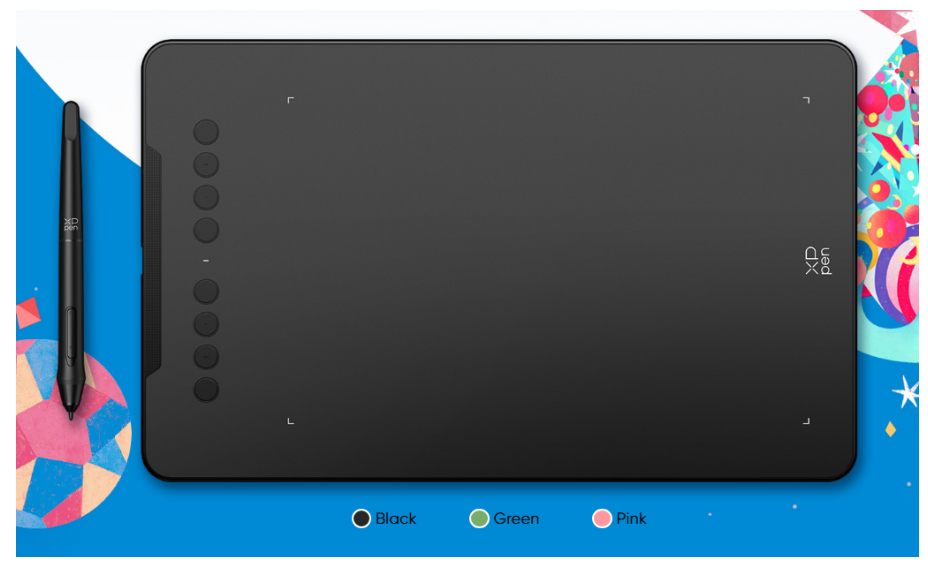
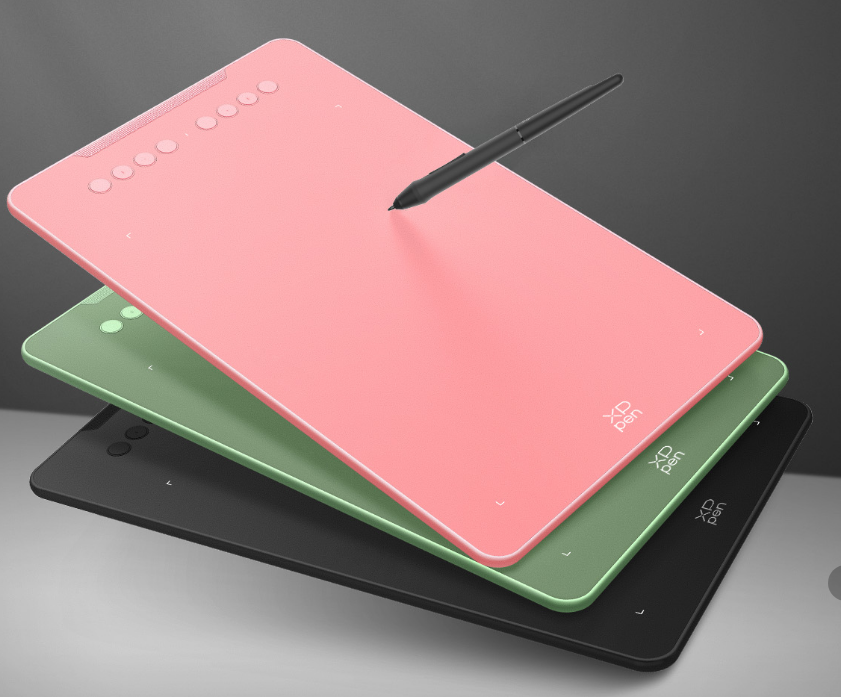
A drawing tablet translates physical pen movements into digital commands, enabling users to produce and modify content with improved precision. Among various options, XPPen drawing tablets uses cover a wide range of creative tasks, including digital illustration, photo editing, graphic design, and other professional workflows.A typical drawing tablet consists of a pressure-sensitive surface and a digital stylus that detects position, pressure levels, and sometimes tilt changes.
Traditional computer mice are effective for basic navigation, but they may not provide enough control for tasks that require detailed adjustments. Creating smooth curves, editing small image areas, or designing complex shapes can be difficult with a mouse.
A drawing tablet offers several advantages:
· More natural creative experience: The stylus works similarly to a traditional pen, making digital creation easier and more intuitive.
· Higher precision: Users can control lines, shapes, and details with improved accuracy.
· Improved workflow efficiency: A direct input method helps reduce repetitive actions and speeds up creative processes.
Because of these benefits, drawing tablets have become essential tools in many professional and personal digital workflows.
Digital Drawing and Illustration
For illustrators, comic artists, and concept designers, precise control over lines, brush effects, and textures is important for creating high-quality artwork.
Through a digital pen, creators can adjust their drawing style according to pressure changes. For example:
· Light pressure: Creates thin and delicate lines for detailed sketches.
· Increased pressure: Produces thicker and stronger strokes for different artistic effects.
· Tilt functions: Help simulate the feeling of using traditional brushes.
Drawing tablets can also work with different digital art software, allowing users to complete the entire creative process, from initial sketches and coloring to detailed adjustments.
For beginners, a drawing tablet provides an effective way to enter the world of digital art. Compared with learning complex mouse-based workflows, pen-based input allows new users to develop digital drawing skills more naturally.
Graphic Design and Visual Creation
In graphic design, accurate control is essential for producing professional results. Designers frequently work on logos, promotional graphics, packaging designs, and other visual projects that demand precise adjustments.
A drawing tablet can help designers complete tasks such as:
· Creating logos and custom graphics;
· Designing handwritten typography;
· Developing creative sketches;
· Adjusting visual elements with greater precision.
When working on detailed projects, a stylus provides more flexibility than a mouse. Designers can quickly capture ideas and transform creative concepts into digital designs with a smoother workflow.
For UI designers and visual creators, drawing tablets can also support wireframe sketches, icon design, and early-stage concept development.
Photo Editing and Image Retouching
Image editing is another important application of drawing tablets. Photographers, commercial designers, and content creators often need to perform detailed adjustments, including portrait retouching, local corrections, and color enhancement.
In these situations, precision plays an important role. For example, editing facial details or improving specific areas of an image requires careful control that can be challenging with a mouse.
A drawing tablet allows users to perform tasks such as:
· Repairing image areas: Correcting small imperfections and improving specific details.
· Adjusting shadows and highlights: Creating better balance and visual effects.
· Enhancing fine details: Improving image quality through more accurate editing.
This not only improves editing accuracy but also makes long image-processing sessions more comfortable and efficient.
Animation, Game Design, and Creative Production
Animation and game development are also important examples of XPPen drawing tablets uses, as these fields require accurate and stable input tools for creating detailed visual content.
Drawing tablets can support various creative processes, including:
· Character design;
· Environment concept creation;
· Storyboard development;
· Digital asset production.
A drawing tablet helps maintain a smoother workflow by providing an experience closer to traditional drawing.
For students learning animation or digital design, using a drawing tablet can also help them become familiar with professional creative processes and develop practical skills.
Online Education and Remote Collaboration
Beyond creative industries, drawing tablets are also becoming useful tools for education and professional communication.
Teachers can use drawing tablets to create handwritten notes, explain complex concepts, and provide visual demonstrations during online classes. Students can also use them for digital note-taking, learning design skills, and completing creative assignments.
In remote work environments, drawing tablets can improve collaboration by allowing users to annotate documents, mark designs, and communicate ideas more effectively.
How to Choose the Right Drawing Tablet
Different users have different requirements, so choosing the right drawing tablet depends on personal needs, creative goals, and working habits. Before making a decision, users should consider several important factors:
· Main purpose: Users who mainly create simple drawings, learn digital art, or work on personal projects may prefer a compact tablet, while professional artists, animators, and designers may need a larger working area for more comfortable long-term use.
· Stylus performance: Features such as pressure sensitivity, response speed, accuracy, and tilt support directly affect the drawing experience. Users who create detailed artwork should pay more attention to pen performance.
· Software compatibility: Ensuring compatibility with preferred operating systems and creative software helps users maintain a smooth workflow and avoid technical limitations.
· Overall user experience: Factors such as build quality, portability, ease of use, and device reliability can influence long-term satisfaction when selecting a drawing tablet.
When comparing different brands and models, many users also search for information about is XPPen drawing tablet good to understand product performance, usability, and whether a device meets their creative requirements.
The Future of Drawing Tablets
As digital art, artificial intelligence, and remote collaboration continue to develop, drawing tablets are expected to become even more versatile. Future devices may integrate more intelligent features to support creators and improve productivity.
From professional design studios to personal creative projects, drawing tablets are becoming an important tool that connects human creativity with digital technology.
Conclusion
Drawing tablets are no longer limited to professional artists. They have become versatile digital tools that support a wide range of applications, including illustration, graphic design, photo editing, animation, education, and office collaboration.
Among the many options available in the market, XPPen is one of the representative brands offering drawing solutions for different user needs. Its products provide creators with more choices when exploring digital workflows and creative possibilities.
Therefore, when people ask “What is an XPPen used for?”, the answer goes beyond drawing.The wide range of XPPen drawing tablet applications demonstrates how these devices can serve different creative purposes, allowing users to bring their ideas to life with a more intuitive, accurate, and efficient workflow. Whether for beginners exploring digital art or professionals improving their creative workflow, understanding these capabilities can help users choose a suitable solution for their needs.